One guided install
The PySCF compute engine — with Qiskit & OpenFermion for quantum — installs into a private environment in one guided setup on first run. A couple of clicks, no manual Python wrangling, and you're computing.
The platform
Most chemistry tooling makes you hand a structure from a builder to an input file to a parser to a plotter. Qemica keeps the molecule, the project, and the design language constant across every step — so your attention stays on the science.
01 / DRAW
Sketch a skeletal structure on a dot-grid canvas, or place and bond atoms directly in the 3D viewport. Switch modes anytime; the structure stays in sync, with implicit hydrogens handled the way a chemist expects.
02 / CHOOSE
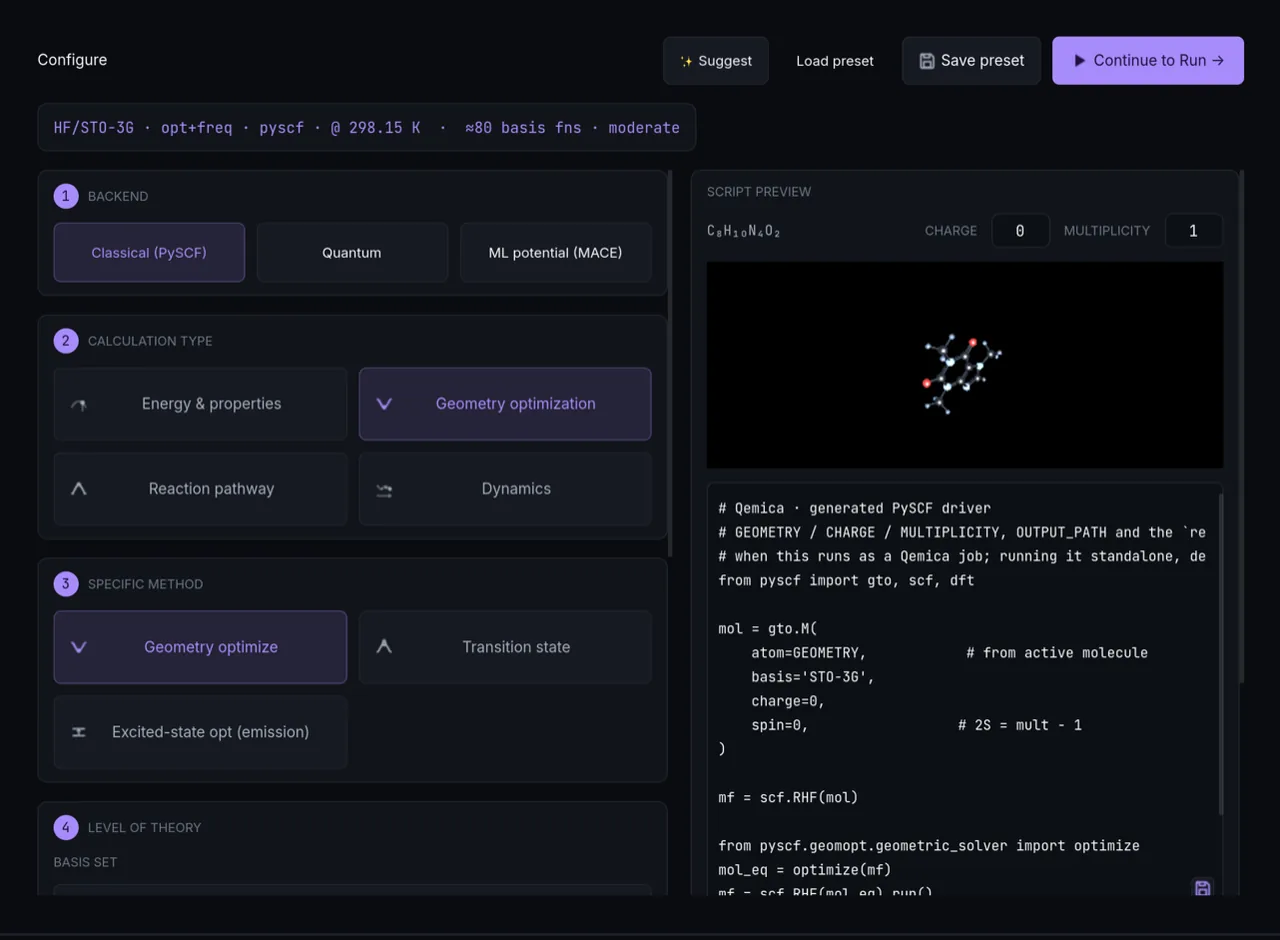
Build the calculation as a recipe — calc type, method, functional, basis set, solvent, charge and multiplicity — with sane presets, a live preview of the job, and inline validation that catches mistakes before you submit.
03 / RUN
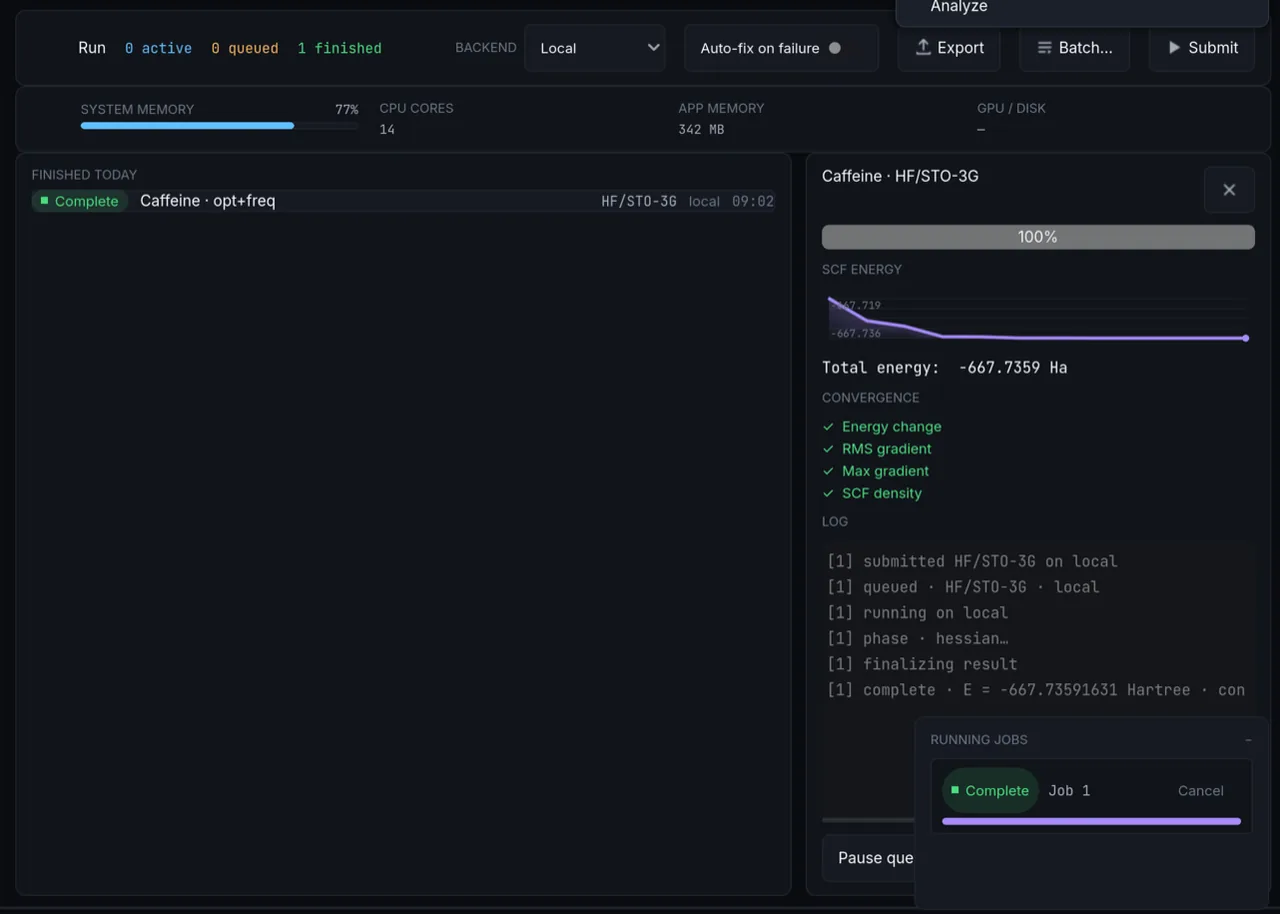
Submit and the job joins the queue — Active, Queued, and Finished today. Qemica streams the engine log and parses it live, drawing SCF energy and gradient convergence step by step, so you catch a diverging run in minute two, not hour two.
04 / ANALYZE
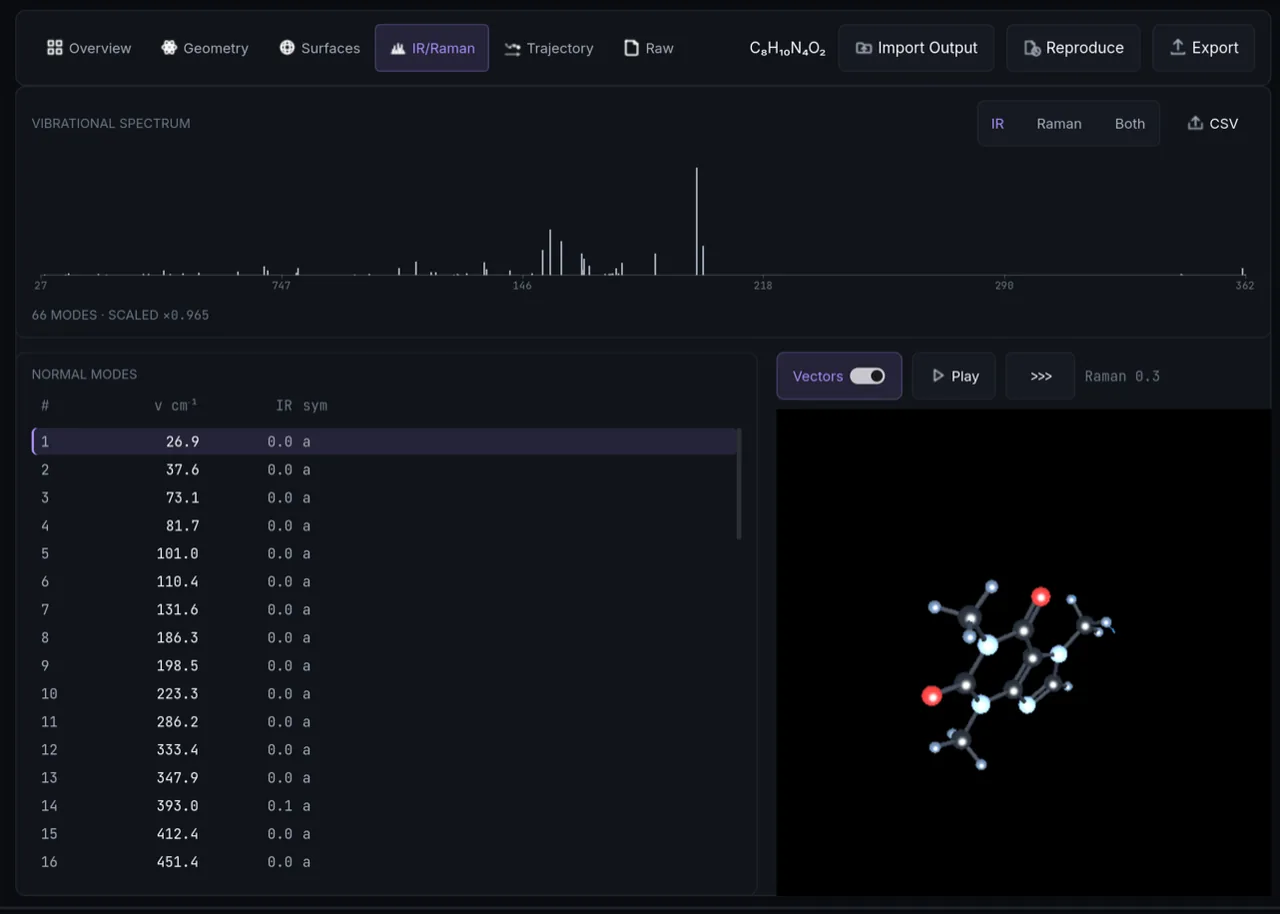
When the job finishes, Analyze opens it across eleven tabs — Overview, Geometry, Surfaces, IR/Raman, UV-Vis, NMR, Trajectory, Reactivity, Bonding, Reaction path, and Raw — with a warnings channel that surfaces any degraded capability instead of failing silently.
Built for the way chemists actually work
The PySCF compute engine — with Qiskit & OpenFermion for quantum — installs into a private environment in one guided setup on first run. A couple of clicks, no manual Python wrangling, and you're computing.
Put finished jobs side by side and Qemica does the thermodynamics — solvation ΔG, binding energies, pKa and redox potentials, Boltzmann-weighted conformer ensembles, basis-set extrapolation — with reference data cited and accuracy caveats stated.
A Claude-powered chat that can see the molecule on screen, your method choices, and the latest result — ask why an SCF diverged or which basis to try next. Runs on your own Anthropic API key, and shares nothing until you switch context sharing on.
If a capability is degraded or missing, Qemica says so in the Overview tab's warnings channel — it never hands back a blank result and calls it success.
Quantum-ready, honestly
Electronic structure is the textbook application for quantum computers — and the field with the most overstated claims. Here is exactly what Qemica does today, what runs on the local simulator, and what dispatches to real hardware.
Why chemistry, why quantum
Simulating the correlated motion of electrons scales catastrophically on classical hardware — the exact solution costs grow factorially with system size, and the approximations we rely on (DFT functionals, truncated coupled cluster) trade accuracy for tractability in ways that are hard to control.
A quantum computer represents an electronic wavefunction natively in its qubits, which is why molecular energy estimation is a leading candidate for early quantum advantage. The catch: useful results need fault-tolerant machines and careful chemistry around the calculation — choosing the active space, mapping orbitals to qubits, and translating noisy output back into properties a chemist trusts.
The roadmap
Each phase reuses the one before it — the same molecule, project format, and analysis tabs carry forward. Nothing you build today gets stranded.
DFT, HF, MP2 and coupled-cluster via a locally installed PySCF engine, with the full Model → Method → Run → Analyze workflow.
Active-space selection (with an automated AVAS search), Jordan–Wigner / Bravyi–Kitaev qubit mappings, and a dozen eigensolvers on the local statevector simulator.
VQE, SQD, and the signal/Krylov methods dispatch to IBM Quantum on your own account, as just another method in the Method screen, with results flowing into the same Analyze tabs.
Methods, classical and quantum
The exact local simulator is the default and the result to trust; quantum hardware runs are opt-in, on your own IBM account, and labeled by what actually executes there. We'd rather under-promise the qubits than oversell them.
Pricing
The full workbench is free — every screen, every engine, no gated methods. Premium adds private results and early access when you need them.
$0 forever
In exchange, the Free plan includes your consent to de-identified calculation contributions (structure, settings, results, engine versions) used to improve calculation methodology and to train machine-learning models — collection isn't active yet, and the app will tell you before it begins. Never your names, notes, or files, and never sold. Choose Premium if you'd rather your results not be contributed at all.
Paid subscription
Price announced at launch; billing will be handled by Paddle.
Ready when you are
Free to download. Available for macOS; Windows and Linux are planned.