Run — Execute & Watch
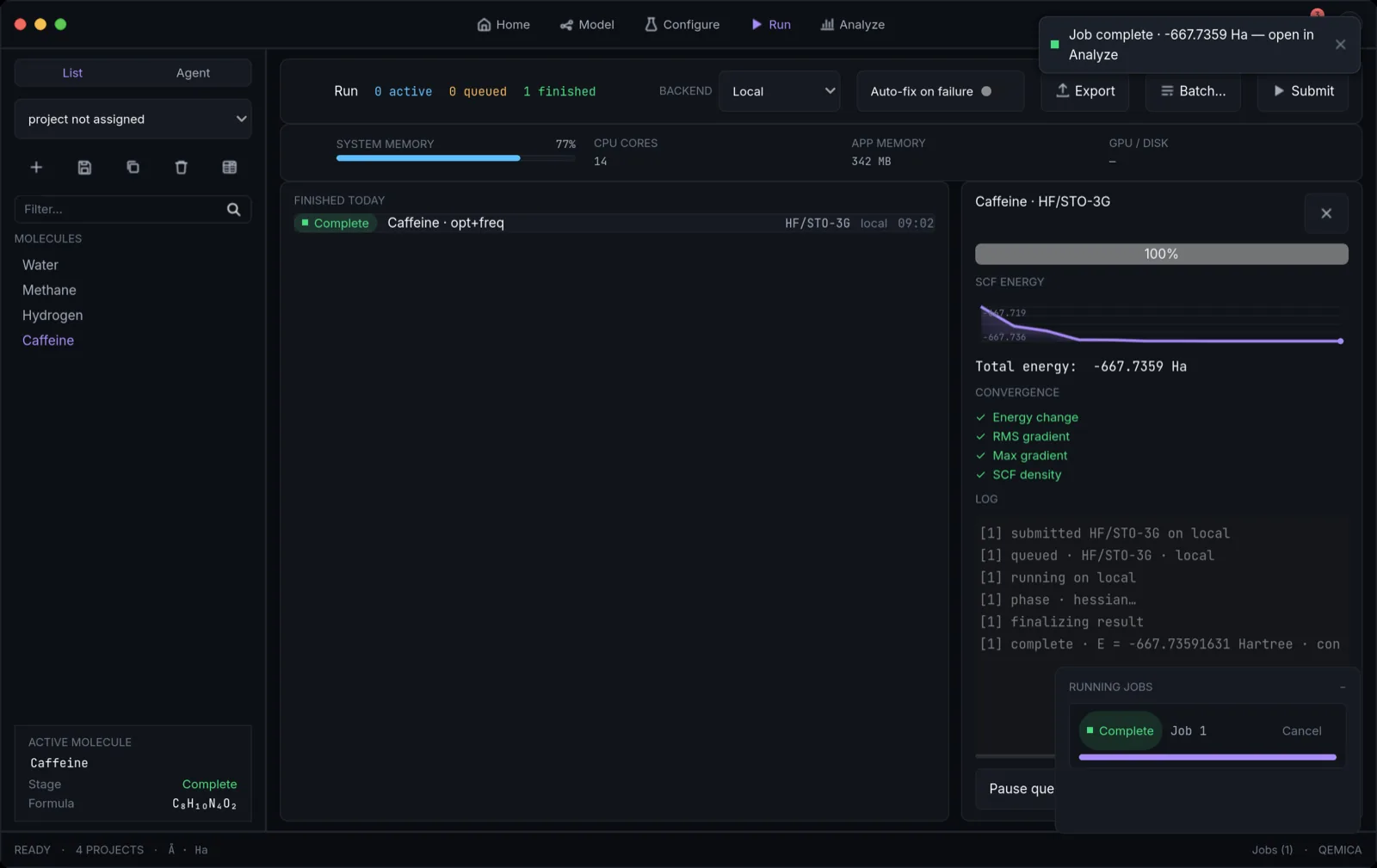
The Run screen dispatches calculations to the queue and lets you monitor them in real time with live convergence charts and streaming logs. You can submit single or batch jobs, target local CPU, a remote SSH host, or IBM Quantum, cancel runs, and access persisted results — all from one execution dashboard.
Dispatching jobs
- Submit dispatches the calculation you composed in Configure. Each submission enters the queue as Queued and starts when a slot is free (default 2 concurrent jobs, configurable in Config).
- Auto-fix on failure (toggle beside the backend picker): a failed or unreliable job is diagnosed and resubmitted with one targeted adjustment per attempt — SCF stabilization, a frozen core, dropping an unavailable correction — up to four attempts, with the full attempt trail shown in the job detail panel.
- Batch runs the active method specification against multiple molecules at once — each becomes an independent job with its own input snapshot.
- Remote setup (SSH): install the engine on the server the same way as locally — uv venv + uv pip install the quchemy wheel — then set host, user, and the remote python in Config → SSH. Leave the remote sidecar path empty and Qemica runs the installed engine directly (python -m quchemy.sidecar); a path is only needed for a source checkout.
- Test connection (Config → SSH): one click dials the host and verifies reachability and authentication, the remote Python (with its version), that the quchemy engine imports on it, and the scheduler submit command (sbatch/qsub) — each as a green/amber/red status line, with the raw SSH error shown verbatim on failure. No more discovering a typo on your first real submit.
- Backend picker: choose Local (this machine), Remote host (SSH) (configured in Config → SSH), or IBM Quantum. IBM Quantum runs six methods — VQE, SQD, QCELS, RPE, QMEGS and QKD; QPE and the other quantum methods stay on the Local statevector simulator, and classical methods picked there error before submission.
- Queue schedulers (SSH): if the remote host runs SLURM, PBS, or any other queue system, jobs submit through the scheduler using an editable submission-script template with presets, plus per-job resources (cores, memory, walltime) entered right on the Run screen. Submission is detached — quit Qemica and it reattaches to the remote job on the next launch. Full setup, including two-factor hosts and custom schedulers, is covered in the Remote clusters section.
- Queue discipline is FIFO; a running, blocking SCF cannot be suspended mid-iteration. Pausing stops queued jobs from starting, and resuming releases them.
Queue, live charts, and logs
- Jobs group by status: Active (running, with host, wall-clock time updating every second, and a progress bar), Queued (waiting), and Finished today (complete, failed, or cancelled).
- Click a job row to open the detail panel with live SCF / optimization / MD telemetry plotted as energy vs. step, updating as the sidecar streams data.
- A step readout shows the latest cycle and energy (e.g. 'SCF cycle N · E = −X.XXXXXX Hartree') in your preferred unit.
- A 4-item convergence checklist (energy change, RMS gradient, max gradient, SCF density) marks each criterion ✓ or incomplete.
- A mono-font streaming log shows every lifecycle event, bounded to the last 500 lines; Export dumps the full log to disk.
Cancelling and resource monitoring
- Stop cancels a selected Active or Queued job. A queued job is removed and marked Cancelled; a running job has its sidecar process hard-terminated and is reported Cancelled (not Failed).
- Pause holds the whole queue (running jobs continue); Resume releases queued jobs — useful for throttling.
- A system-telemetry ribbon shows memory usage, CPU core count, and app memory; these are read-only snapshots with no per-job limit enforcement yet.
Result persistence and reproducibility
- On completion, the molecule, method spec, and structured result are persisted to the database and project folder as a versioned result.json — energies in Hartree (QM) or kcal/mol (force-field), final coordinates, convergence flag, orbitals, vibrations, excited states, and trajectory frames.
- Stored provenance (method, basis, functional, charge, multiplicity, RNG seed for stochastic VQE/QPE, and engine version) is enough to reproduce the exact calculation via the Reproduce button in Analyze.
- Checkpoint restart: every SCF-bearing run writes a .chk file next to result.json and records it in the result; Reproduce reuses it as the initial SCF guess automatically, and a stale or missing checkpoint degrades to the default guess with a warning — never a failed job.
- If the sidecar times out, crashes, or exits non-zero, the job is marked Failed and the last stderr is logged — no partial result is saved.
- Export log writes the full log to job_<id>.log in the app's exports folder (user://exports).